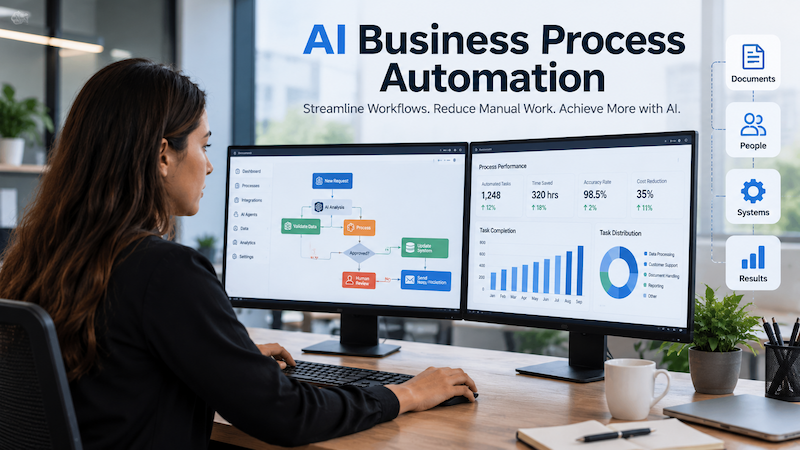

The best AI workflow automation tools in 2026 are Zapier, Make, n8n, Lindy and Workato. Which one fits you depends less on features than on how each platform counts your usage.
Zapier bills per task. Make bills per credit. n8n bills per workflow execution. Those are three different meters, so a $9 price tag on one platform and $19.99 on another tells you very little about your actual bill.
That gap is why published comparisons contradict each other on price. This guide fixes it by measuring one workload across all three models.
We have used Zapier, Make and n8n on client work. The other platforms here were assessed from vendor documentation, published pricing and available testing. We do not sell any of these tools.
Quick Answer:
There is no single best tool. We compared ten platforms and found billing decides cost, not price. Zapier counts tasks, Make counts credits, n8n counts executions. The same workload can cost five times more on one platform.
Key takeaways
- Billing unit matters more than headline price because five steps cost five Zapier tasks but only one n8n execution.
- Published prices do not agree, since top-ranking guides mix annual and monthly rates without saying which.
- Costs break at scale rather than at signup, usually around 10,000 runs a month.
- There is no best tool, only a best fit, decided by technical capacity and run volume.
What are the best AI workflow automation tools
An AI workflow automation tool connects your apps and runs multi-step processes on a trigger with AI steps that classify, summarise or decide along the way. The best ones are Zapier, Make and n8n which cover most real use cases between them.
Zapier wins on app coverage, Make on cost per unit of work and n8n on control. Lindy and Workato handle narrower jobs, agentic sales work and enterprise governance respectively.
Best AI workflow automation tools comparison
| Tool | Best for | Billing unit | Entry price range | Free tier | Self-host |
| Zapier | Ease of use, app coverage | Per task (each action) | $20 to $30/mo, 750 tasks | 100 tasks/mo | No |
| Make | Value at volume | Per credit (each module) | $9 to $12/mo, 10,000 credits | 1,000 credits/mo | No |
| n8n | Technical teams | Per workflow execution | $20 to $25/mo, 2,500 executions | Self-host free | Yes |
| Lindy | Agentic sales and support | Per credit | $30 to $50/user/mo | 400 credits/mo | No |
| Workato | Enterprise orchestration | Task and connector tier | $10,000 to $15,000/yr, about $850 to $1,250/mo | Limited | No |
| Power Automate | Microsoft environments | Per user | $15 to $20/user/mo | Trial only | No |
| Pipedream | Developers and APIs | Compute-based credits | $45 to $65/mo | Free credits | No |
| UiPath | RPA and legacy apps | Per bot or robot | $25 to $50/mo | Community edition | No |
| Activepieces | Open-source preference | Per active flow | $5 to $10 per flow/mo | Self-host free | Yes |
| Gumloop | AI-native no-code building | Per credit | $35 to $50/mo, 20,000 credits | 14-day trial | No |
All prices above are our own estimates based on rates published at the time of writing. Vendors change pricing often so confirm before you commit.
Quick verdict
The table shows why entry price is a weak signal. Activepieces and Make look cheapest, but n8n usually costs least in practice because one execution covers a whole workflow. Workato sits in a different bracket entirely, priced as an annual enterprise contract rather than a monthly subscription.
How we compared these AI workflow automation platforms
We assessed every platform on the same ten points: setup difficulty, AI capability, workflow complexity ceiling, integration coverage, error handling, self-hosting options, team governance, billing unit, cost at higher usage and ideal user type.
Where we have run a platform in production, we say so. Where the assessment comes from documentation, we say that too.
The 10 best AI workflow automation tools in 2026
1. Zapier: best for ease of use and broad integrations
Zapier is where most teams start and it earns that. It reaches roughly 9,000 apps, more than anything else here and its AI copilot builds a working automation from a plain-language description.
The AI feature set now covers actions for summarising and classifying, plus Agents, Chatbots, Tables and Interfaces.
Billing unit: per task, where each action step counts. For ordinary successful app actions, four billable actions across 10,000 runs would consume roughly 40,000 tasks. AI steps can add additional task usage depending on the model tier selected, so actual consumption can be higher.
Pros: Largest app library. Fastest setup. Strong templates and support.
Cons: Costs climb fast on multi-step workflows. AI features are broad but shallow, with no way to version or test a prompt change. The free plan caps at two steps and 100 tasks, which makes it a sandbox rather than a tool.
2. Make: best visual workflow builder and value
Make gives you a canvas with routers, iterators and detailed data mapping. It handles branching that gets awkward in Zapier and its execution history makes debugging genuinely easy.
It reaches around 3,000 apps and supports AI agents, MCP and custom JavaScript or Python.
One thing to know: Make renamed its billing unit from “operations” to “credits” in August 2025. Most older articles still say operations.
Billing unit: Credits, Most standard modules consume one credit per operation, while some AI features use dynamic credit consumption. Routers and filters do not consume credits, although iterators and downstream actions can increase usage when they process multiple bundles.
Pros: Best cost per unit of work among hosted platforms. Excellent error handling and replay. Real branching control.
Cons: Steeper than Zapier and data mapping is where beginners stall. Because iterators process each bundle separately, real usage runs above a first estimate.
3. n8n: best for technical teams and self-hosting
n8n is what technical teams move to when automation bills get serious. It runs on your own infrastructure through Docker or Kubernetes and accepts JavaScript and Python when the visual builder runs out of room.
Worth correcting, since many guides get it wrong: n8n is not open source. It uses a fair-code model under its Sustainable Use License. Source is available and self-hosting is free for permitted use, but the licence is not MIT or Apache.
Billing unit: per workflow execution. One run costs one execution whether the workflow has three nodes or fifty.
Pros: Predictable billing as workflows grow. Free self-hosting removes execution limits. The right answer when data cannot leave your environment.
Cons: Steepest learning curve of the main three. You supply your own model API keys. Self-hosting means someone owns updates and uptime.
4. Lindy: best for agentic sales and support workflows
Lindy works differently. Rather than building a trigger-and-action chain, you describe an outcome and it works across your connected tools to get there. It lives in Slack, Gmail and the browser, joins meetings and runs scheduled tasks.
It reaches over 1,000 apps and supports MCP servers. Its depth is strongest in sales operations and customer support.
Billing unit: per credit, consumed by task complexity.
Pros: Very low learning curve. Approval controls before it acts externally. Useful for cross-app work that does not fit a rigid trigger. SOC 2 and GDPR compliant.
Cons: Not built for complex custom workflows. No code fallback. Credits disappear quickly on research heavy tasks.
5. Workato: best for enterprise orchestration
Workato is enterprise integration software with AI layered on top. It connects cloud systems, on-premise systems and databases across departments and provides the governance layer regulated buyers need.
It offers over 1,200 connectors, an agent builder, SOC 2 Type II compliance, detailed access control and guaranteed service levels.
Billing unit: Credit-based self-service pricing is available for smaller deployments while Enterprise uses custom pricing.
Pros: Real enterprise governance and monitoring. Mature recipes for common patterns. Handles scale that breaks lighter tools.
Cons: Needs technical resources to maintain which bottlenecks business users. Fully proprietary, no self-hosting. Pricing stays opaque until you talk to sales.
6. Microsoft Power Automate: best for Microsoft environments
If your organisation runs on Microsoft 365, this is the path of least resistance. It connects natively to Outlook, Excel, SharePoint and Teams and covers both cloud automation and desktop RPA in one product.
Pros: It offers around 1,000 connectors plus AI Builder for form and document processing.
Cons: The trade-offs are licensing complexity and an expression syntax that feels like Excel formulas on hard mode. Outside the Microsoft stack, the integration library thins out fast.
7. Pipedream: best for developers and API workflows
Pipedream is code-first and serverless, built for developers who would rather write JavaScript, TypeScript or Python than drag boxes. It handles webhooks, event streams and API mashups well, with solid logging and secret management.
Pros: It provides access to thousands of APIs and a large MCP tool catalogue. For engineering teams automating API work, it is often the fastest option here.
Cons: This is a poor fit for non-technical builders.
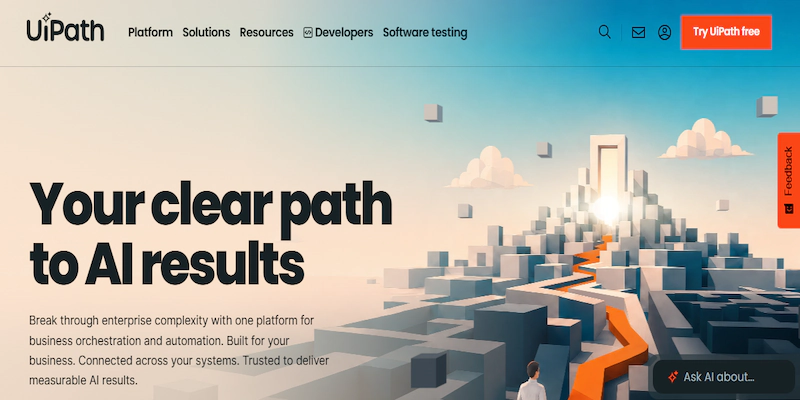
8. UiPath: best for RPA and legacy applications
UiPath leads the robotic process automation market and has added agentic automation, computer vision and AI document understanding.
Pros: Its real strength is driving desktop and legacy applications that expose no API. If your process involves a twenty-year-old accounting system, UiPath can operate it the way a person would.
Cons: Implementation effort is heavy which makes it excessive for most small and mid-sized businesses.
9. Activepieces: best open-source option
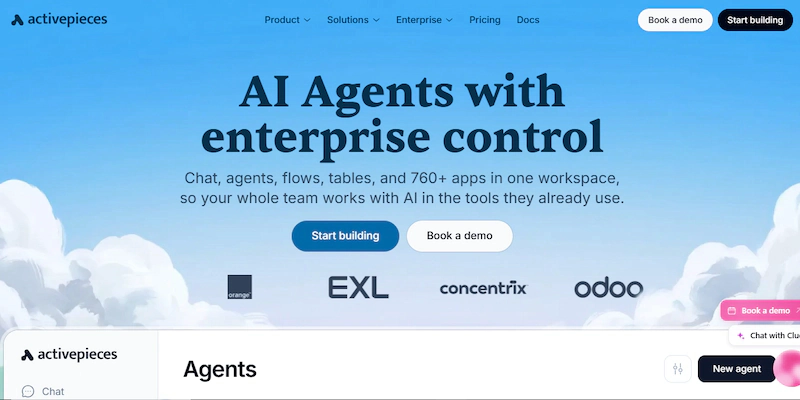
Activepieces is MIT licensed which makes it genuinely open source in a way n8n is not. Self-host it with no licence restrictions or use the hosted version priced per active flow.
Pros: It offers several hundred integrations and one of the larger open-source MCP toolkits which matters if you want automations callable from AI assistants. For teams who mainly need a permissive licence, it is the strongest option here.
Cons: The community and template library are smaller than n8n’s and enterprise governance is less developed.
10. Gumloop: best AI-native no-code building
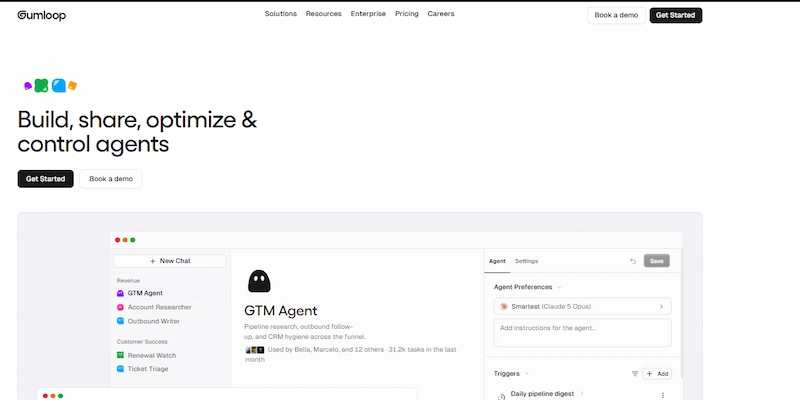
Gumloop was designed around AI from the start rather than adding it later. Workflows are node graphs where AI steps handle classification, extraction, summarising and generation as first-class operations.
Pros: It suits marketing, research and content operations, where the work means interpreting unstructured information rather than moving records between systems.
Cons: The integration library is narrower than Zapier’s or Make’s so check if your specific apps are supported first.
Honorable mention
Windmill is worth a look for developer teams turning scripts into workflows and internal tools on self-hosted infrastructure. We have not run it in production so we left it out of the ranked list rather than rate it from documentation alone.
Zapier vs Make vs n8n
These three appear in almost every comparison of AI workflow automation tools, and almost nobody compares them directly. For most buyers, this is the actual decision.
| Criterion | Zapier | Make | n8n |
| Ease of use | Easiest of the three, clear winner | A real step up in complexity | Steepest, only works if someone on the team is comfortable with APIs |
| Billing unit | Per task | Per credit, with iterators multiplying usage | Per execution, regardless of node count |
| AI capability | Smoothest onboarding | Supports AI agents, MCP and custom code | Most control, because you supply your own keys |
| Self-hosting | No | No | Yes |
The longer your workflows, the further these billing models diverge. None of the three offers built-in versioning when you change a prompt.
Self-hosting is the one row that can decide this on its own. If your data cannot leave your environment, only n8n qualifies.
What Zapier, Make and n8n actually cost at scale
Comparing headline prices here is misleading, because these platforms do not sell the same thing. A useful comparison needs one workload measured three ways.
Scenario: 10,000 workflow runs per month, 4 app actions per workflow, 1 AI step, no premium connectors.
| Platform | How it counts | Approximate consumption |
| Zapier | Each action step is one task. The AI step counts too. | About 50,000 tasks per month |
| Make | Each module call is one credit, including the trigger. | About 60,000 credits per month |
| n8n | One run is one execution, regardless of steps. | Exactly 10,000 executions |
| Pipedream | Compute-based credits, priced on runtime. | Depends on runtime per run |
The same work produces 50,000 billable units on Zapier, 60,000 on Make and 10,000 on n8n. Make’s credits cost less per unit than Zapier’s tasks which is why it usually comes out cheaper, though the gap is narrower than raw numbers suggest.
Run this with your own figures. Count the actions in your busiest workflow, multiply by expected monthly runs, then check that number against each platform’s current tiers. Every price in this guide is our own estimate based on published rates at the time of writing, so treat them as a starting point rather than a quote.For a wider view of what these platforms charge, ToolVetting’s roundup of AI workflow automation tools lists current pricing across 14 platforms.
Which should you choose?
If you are a solo founder, start on Zapier’s free tier and move to Make when you outgrow it. Do not self-host anything yet, because your time is the scarce resource, not your budget. A small non-technical team should stay on Zapier and pay the premium for reliability and support then reassess in a year.
Agencies and high-volume users are the group that benefits most from switching. n8n self-hosted is usually the answer or Make if nobody wants to own a server. At agency volume the savings comfortably fund a developer’s time. Enterprises should look at Workato or UiPath, depending on whether the problem is connecting systems or driving legacy desktop software.
Not sure which model fits your workflows? Our AI automation services start by mapping your process before we pick a platform.
Best AI workflow automation tools for growing businesses
Growth changes the maths faster than most teams expect. At 200 runs a month the billing model is trivial. At 20,000 it becomes a hiring decision and that shift usually arrives as a mid-month upgrade prompt rather than a planned review. Error handling matters more too. One broken workflow costing one missed lead is survivable. Fifty is not and that is when retry logic and replay stop being nice extras.
HubSpot’s guide to AI workflow automation tools makes the same point from the marketing side, reporting that 86% of marketers say automation has saved them time and helped scale personalisation.
Two other things surface at the same time. Five people building automations in one shared account without roles is a problem waiting to happen and role-based access is often gated behind a tier jump. Governance follows close behind, usually the first time a client asks where their data is processed. Our picks: Make when cost efficiency leads, n8n when you have any technical capacity at all and Zapier when speed genuinely outweighs cost. Our guide to AI business process automation covers redesigning a workflow before you automate it and our AI solutions for businesses page shows what that looks like in practice.
How to choose the right AI workflow automation tool
Five questions, ordered by how much each narrows the field.
1. Is anyone on your team technical? If not, you are choosing between Zapier and Lindy. If yes, n8n, Pipedream and the open-source options open up and they usually cost less.
2. How many runs per month? Under 1,000 and the billing model barely matters. Over 10,000 and it decides everything. Count actions per workflow, not just workflows.
3. Can your data leave your environment? If not, you are looking at n8n or Activepieces self-hosted and the decision is effectively made.
4. What is your ceiling at three times current volume? Not what you pay this month, but what you pay once the business grows into automation.
5. Do you need reasoning or just rules? If you can write the logic on a whiteboard, you want rule-based automation. If the decision requires judgment, you want AI in the loop.
What we use for client projects
We reach for n8n self-hosted on most client work, because the cost curve and the control both hold up as a project grows. We use Make when a client wants to own and maintain the automation themselves without managing a server.
Zapier stays in the mix when the requirement is simple, the timeline is short or the integration only exists there. Where a platform has no connector for a system a client depends on, we build the API integration ourselves. None of these is a universal answer.
Frequently asked questions
What are the best AI tools for productivity and automation in 2026?
Zapier and Make lead for general workflow automation, n8n suits technical teams and Lindy handles AI-assisted daily work. Your technical capacity and monthly run volume decide which fits.
Which AI workflow automation platform should a small team choose?
Small teams should usually choose Zapier because setup is fastest and support is strongest when nobody owns automation full time. Move to Make once monthly volume grows or n8n if someone on the team is technical.
What are the top AI platforms for small business automation?
Zapier for ease of use, Make for value at higher volume and Lindy if you prefer describing tasks over building workflows. All three offer free tiers worth testing first.
What are the best low-code tools for AI workflow automation?
Make and n8n strike the best low-code balance, offering visual builders with code fallback when needed. Zapier is the most no-code option while Pipedream is the most code-first.
Is Zapier an AI tool?
Zapier is an automation platform that has added AI features, including AI actions, Agents and Chatbots. It is not AI-native like Lindy or Gumloop, where AI reasoning forms the core architecture.
What is the best free AI workflow automation tool?
Self-hosted n8n is genuinely free with unlimited executions so you pay only for a server. Among hosted free tiers, Make’s 1,000 monthly credits go further than Zapier’s 100 tasks.
Are AI workflow automation tools worth the investment?
For repetitive multi-app work, payback often arrives within a quarter. For occasional one-off tasks, no. If maintaining the automation costs more time than the task, skip it.
How do you automate AI workflows with AI tools?
Choose a trigger, connect your apps, then add an AI step to classify, summarise or decide on the data passing through. Most platforms generate a first draft from a plain-language description.
Conclusion
The honest answer is that no single platform wins. Zapier buys you speed and reach. Make buys you cost efficiency. n8n buys you control and billing that stays predictable as you grow. Lindy, Workato and the rest each solve a narrower problem well.
What decides it is the meter, not the sticker price. Before you commit, count the actions in your busiest workflow, multiply by your realistic monthly volume, and check that number against each vendor’s current tiers. Do that at three times today’s usage because that is the point where most of these decisions turn out to have been wrong.
Ready to automate a workflow?
Tell us the process you want automated. We will tell you which platform fits and why. You will know what it should realistically cost to run.