
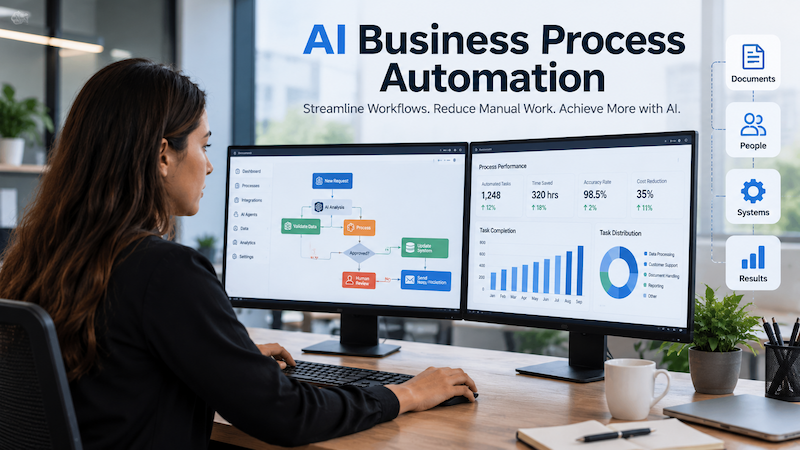
Businesses have automated repetitive tasks for decades, but traditional automation often depends on fixed rules. A workflow might move information from one system to another, send an email when a form is submitted, or update a record when a specific condition is met.
Artificial intelligence is changing what business automation can accomplish.
AI business process automation combines traditional workflow automation with technologies such as machine learning, large language models, intelligent document processing, AI agents and data analysis. Instead of simply following predefined instructions, AI-powered systems can understand information, interpret context, generate responses and help determine what action should happen next.
This makes it possible to automate processes that previously required significant human judgment.
From customer support and document processing to sales operations, finance and internal knowledge management, businesses are increasingly looking at AI for business process automation as a way to improve efficiency while creating more responsive digital operations.
What Is AI Business Process Automation?
AI business process automation is the use of artificial intelligence within business workflows to automate, assist or improve operational tasks.
Traditional business process automation generally works according to rules such as:
If condition A occurs, perform action B.
AI adds another layer of intelligence to the workflow.
An AI-powered process may be able to:
- understand unstructured text
- classify emails or documents
- summarize information
- extract important data
- recognize customer intent
- generate responses
- analyze historical information
- recommend actions
- interact with different software systems
- decide which workflow should run next
This means business process automation with AI can handle processes that are more complex than basic rule-based workflows. Consider an incoming customer email.
A traditional automation might simply create a support ticket. An AI-enabled workflow could identify the customer’s intent, categorize the issue, retrieve relevant account information, search internal knowledge, prepare a response, determine the correct department and then create or update the appropriate ticket.
That is the difference between simply automating a task and creating an intelligent business workflow.
How AI Is Used in Business Process Automation
There is no single technology behind AI in business process automation. Modern systems often combine several technologies.
Natural Language Processing
AI can understand and work with natural language found in:
- emails
- customer messages
- support tickets
- contracts
- documents
- meeting notes
- knowledge bases
This allows businesses to automate workflows involving information that previously had to be manually reviewed.
Large Language Models
Large language models can help businesses summarize content, classify information, extract meaning, generate text and interact conversationally with users. They can be connected to internal systems and business data through APIs and controlled workflows.
Machine Learning
Machine-learning models can identify patterns within historical data.
For example, they may help predict:
- customer churn
- sales opportunities
- fraud risk
- demand
- ticket priority
- equipment failure
These predictions can then trigger automated business processes.
Intelligent Document Processing
AI can extract structured information from invoices, forms, PDFs, purchase orders and other documents. The extracted information can automatically be validated and transferred into business systems.
AI Agents
AI agents take automation further by performing sequences of actions toward a defined objective. An agent might analyze information, select a tool, retrieve data, make a decision and perform another action based on the result. This creates opportunities for more advanced process automation AI systems.
How to Automate Business Processes With AI
One of the most important questions for organizations adopting AI is not simply which AI model to use.
The more important question is:
Which business process should be improved?
A successful automation project normally starts with the process rather than the technology.
1. Identify Repetitive Business Processes
Start by finding activities that are performed frequently and require significant manual effort.
Examples include:
- processing incoming emails
- updating CRM records
- preparing reports
- entering invoice information
- answering common customer questions
- qualifying leads
- reviewing documents
- transferring information between systems
- preparing internal summaries
- routing requests for approval
Processes that are repetitive, measurable and clearly understood tend to be strong candidates for automation.
2. Map the Existing Workflow
Before adding AI, document how the process currently works.
Identify:
- where the process starts
- who performs each step
- what data is required
- which applications are involved
- what decisions are made
- where delays occur
- where errors frequently happen
- when human approval is required
A visual workflow can make inefficiencies much easier to identify.
3. Decide Where AI Actually Adds Value
Not every step needs AI.
Some steps may be handled better with conventional automation.
For example:
Traditional automation
Form submitted → create CRM record.
AI-powered automation
Analyze form submission → classify lead → summarize requirements → calculate lead priority → route to appropriate salesperson → generate suggested follow-up.
Combining deterministic automation with AI is often more reliable than trying to make the entire process AI-driven.
4. Connect the Required Business Systems
AI becomes more useful when it can interact with the applications a business already uses.
These may include:
- CRM systems
- ERP platforms
- help desks
- databases
- document repositories
- accounting software
- internal applications
- cloud services
- third-party APIs
API and system integration therefore plays an important role in business automation.
5. Add Human Approval Where Necessary
Not every decision should happen automatically.
Human review can be especially useful when processes involve:
- financial decisions
- sensitive customer communication
- legal documents
- unusual transactions
- high-value sales opportunities
- uncertain AI responses
A workflow can allow AI to complete most of the preparation while requiring a person to approve the final action.
This is sometimes referred to as a human-in-the-loop workflow.
6. Test the Process Before Scaling
An automation should be tested using realistic scenarios.
Check:
- correct inputs
- missing data
- unexpected inputs
- API failures
- duplicate records
- model errors
- incorrect classifications
- authorization failures
The goal is not simply to confirm that the ideal scenario works.
The system should also know what to do when something goes wrong.
7. Monitor and Improve
AI automation is not necessarily a one-time implementation.
Businesses should monitor:
- processing time
- automation success rate
- human intervention rate
- error rate
- operating cost
- user satisfaction
- business outcomes
The workflow can then be refined based on actual usage.
Need help building an AI automation workflow?
Phoenix Web Solutions develops AI-powered workflows, API integrations and automation systems around existing business processes.
Examples of AI Business Process Automation
Different departments can apply AI automation in different ways.
Customer Service Automation
AI can classify incoming questions, search company knowledge, suggest responses and route difficult tickets to human representatives.
A workflow might look like:
Customer message → AI identifies intent → retrieves relevant information → generates response → sends or requests human approval → updates CRM
Sales Process Automation
AI can analyze incoming leads and automatically prepare information for sales teams.
For example:
Lead submitted → AI analyzes requirements → enriches CRM record → assigns lead score → creates summary → routes to salesperson → drafts follow-up
Finance Automation
Finance teams often work with large volumes of structured and unstructured information.
AI can assist with:
- invoice extraction
- transaction categorization
- reconciliation preparation
- financial document review
- anomaly detection
- reporting summaries
HR Process Automation
AI can help with internal HR processes including:
- employee question routing
- document classification
- onboarding workflows
- policy search
- meeting summaries
- internal knowledge assistants
Businesses should apply appropriate privacy and governance controls when dealing with employee information.
Document Processing
One of the strongest applications of AI automation is processing documents.
A system could:
- receive a document
- identify the document type
- extract required information
- validate fields
- send uncertain cases for review
- update another business application
- archive the document
This can significantly reduce repetitive data-entry work.
Knowledge Management
Organizations often have useful information distributed across documents, internal portals and applications.
An AI knowledge system can provide employees with a conversational interface for finding relevant information while maintaining appropriate access permissions.
How to Build AI Agents for Business Process Automation
AI agents are becoming an important part of advanced automation architectures.
Instead of responding only to individual prompts, an agent can work toward a goal using available tools.
A simplified AI agent architecture could include:
User or system event
↓
AI agent
↓
Reasoning / task planning
↓
Business tools and APIs
↓
CRM / ERP / database / email / internal application
↓
Validation
↓
Action or human approval
For example, imagine an AI sales operations agent.
It could:
- receive a new sales inquiry
- analyze the prospect’s requirements
- retrieve CRM history
- research information from permitted data sources
- classify the opportunity
- prepare a sales summary
- update CRM fields
- draft a personalized response
- assign the opportunity
- request approval before sending
The important point is that the AI should operate within clearly defined permissions.
Giving an agent unrestricted access to every business system is rarely a sensible architecture.
Instead, businesses can define:
- which tools the agent can use
- which records it can access
- which actions it can perform
- spending or transaction limits
- approval requirements
- audit logging
This creates a more controlled approach to agentic automation.
How to Align Business Process Redesign With Automation and AI
One common mistake is automating an inefficient process without first improving it.
If a workflow contains unnecessary approvals, duplicate data entry or outdated steps, automating those problems can simply make the inefficient process run faster.
Businesses should therefore consider process redesign and AI automation together.
A useful approach is:
- Step 1 — Document the current process: Understand how work happens today.
- Step 2 — Remove unnecessary steps: Ask whether every approval, form and handoff still serves a purpose.
- Step 3 — Standardize the process: Automation becomes easier when inputs, responsibilities and outcomes are clearly defined.
- Step 4 — Automate deterministic tasks: Use ordinary workflow rules where AI is unnecessary.
- Step 5 — Introduce AI for cognitive tasks: Use AI where interpretation, classification, generation or prediction adds genuine value.
- Step 6 — Define human checkpoints: Determine which decisions require oversight.
The result is not merely automated software. It is a redesigned business process supported by automation and intelligence.
How Specialized AI Models Improve Business Process Automation
Businesses do not always need a single general-purpose AI model for every task.
Different automation steps may benefit from different models.
For example:
- a language model can interpret emails
- an OCR or vision model can extract information from scanned documents
- a classification model can categorize requests
- a forecasting model can predict future demand
- an embedding model can search internal knowledge
- a specialized model can identify domain-specific information
Using specialized models can sometimes improve accuracy, performance or cost efficiency.
A well-designed AI automation architecture therefore selects technology according to the task rather than forcing every workflow through the same model.
AI Automation vs Traditional Business Process Automation
| Traditional Automation | AI Business Process Automation |
|---|---|
| Primarily rule-based | Can interpret context |
| Best for predictable inputs | Can work with less-structured information |
| Fixed decision logic | Can assist with complex decisions |
| Structured data focused | Can process text, documents and other formats |
| Workflow execution | Workflow execution + intelligent interpretation |
| Manual handling of exceptions | AI may help classify or resolve exceptions |
The two approaches should not necessarily compete. Many effective automation systems use both. Traditional automation provides predictable execution while AI handles tasks requiring interpretation or intelligence.
Benefits of AI for Business Process Automation
When implemented appropriately, AI-powered automation can help organizations:
Reduce repetitive manual work:
Employees can spend less time on copying information, sorting messages or preparing routine summaries.
Process information faster:
AI can review large volumes of text and documents much faster than manual processing.
Improve workflow consistency:
Defined automation rules can help ensure processes follow consistent operational steps.
Connect disconnected systems:
APIs and automated workflows can move information between business applications without repeated manual entry.
Improve customer response times:
AI can help categorize questions and prepare responses immediately.
Make business information easier to use:
AI assistants can help employees search and understand internal documents and data.
Scale operations:
Businesses can process greater workloads without increasing manual operations at the same rate.
Challenges Businesses Should Consider
AI business process automation also requires careful planning.
Important considerations include:
- data quality
- security
- privacy
- access permissions
- AI accuracy
- system reliability
- integration complexity
- model costs
- human oversight
- monitoring
- compliance requirements
Businesses should therefore avoid automating processes solely because AI technology is available.
The automation needs a clear operational purpose.
Where Should a Business Start With AI Automation?
Starting with one clearly defined workflow is usually more practical than attempting to automate an entire organization at once.
Look for a process that:
- happens frequently
- consumes significant employee time
- follows a repeatable pattern
- has measurable outcomes
- uses accessible data
- does not introduce unacceptable operational risk
Build the workflow, measure the results and learn from the implementation.
Once the architecture and governance model are proven, additional processes can be added.
Building AI Business Process Automation That Actually Works
The biggest opportunity in AI business process automation is not replacing every employee or adding AI to every application.
It is designing better ways for people, AI and software systems to work together.
Traditional automation handles predictable actions. AI handles tasks involving language, interpretation and intelligence. APIs connect the systems. Human oversight provides control where judgment matters.
Combined correctly, these technologies can transform fragmented manual processes into intelligent digital workflows.
Phoenix Web Solutions builds AI-powered tools, integrations and workflow automation designed around real business requirements rather than generic automation templates.
If your organization has a repetitive process that involves manual data entry, documents, customer requests or disconnected software systems, it may be a strong candidate for AI automation.
Ready to Automate a Business Process With AI?
Explore our AI Automation Services or contact Phoenix Web Solutions to discuss an AI-powered workflow designed around your existing systems and business requirements.
